Home Products Services About Contact Request Demo
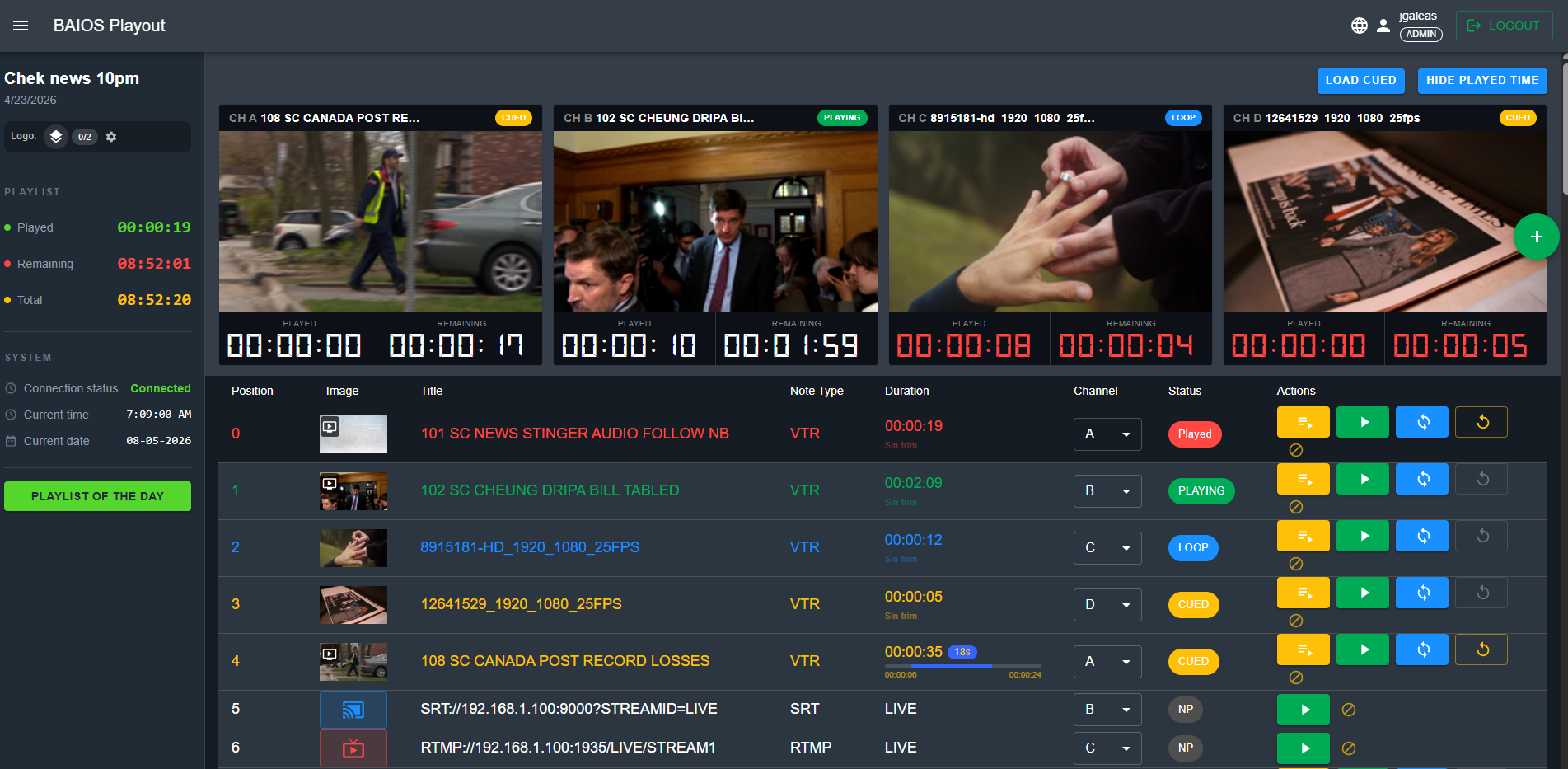
BAIOS Playout dashboard with 4-channel multi-view

BAIOS Playout

Multi-channel broadcast playout system with playlist scheduling, video trimming, logo overlay, and native SRT/RTMP/NDI ingest. Designed for newsrooms, TV stations, and live production environments.

SRT RTMP NDI CG
Schedule Playout Demo
Everything You Need for Professional Playout

📺

4-Channel Output

Independent channels A, B, C, and D with individual preview, timecode display, and status indicators. Each channel can run different content simultaneously.

📋

Playlist Management

Create, edit, and organize playlists by program and date. View total, remaining, and played duration at a glance. Create templates for recurring shows.

📡

Multi-Protocol Ingest

Native SRT, RTMP, NDI, and SDI signal ingestion. Add live feeds directly into playlists with intuitive URL configuration and instant connection validation.

✂️

Frame-Accurate Trimming

IN/OUT/TRIM controls with sub-second accuracy. Navigate with ±1s and ±5s jog controls. Preview every frame before it goes to air.

🏷️

Logo & Watermark Overlay

Upload PNG, JPG, GIF, WEBP, or WEBM with alpha support. Position controls, fade animations, and direct CG integration for dynamic graphics.

👥

Role-Based Access

Admin and Editor roles with program-level permissions. Control who can cue, edit, or configure. Essential for multi-user newsroom environments.

See It in Action

Real screenshots from the BAIOS Playout control interface.

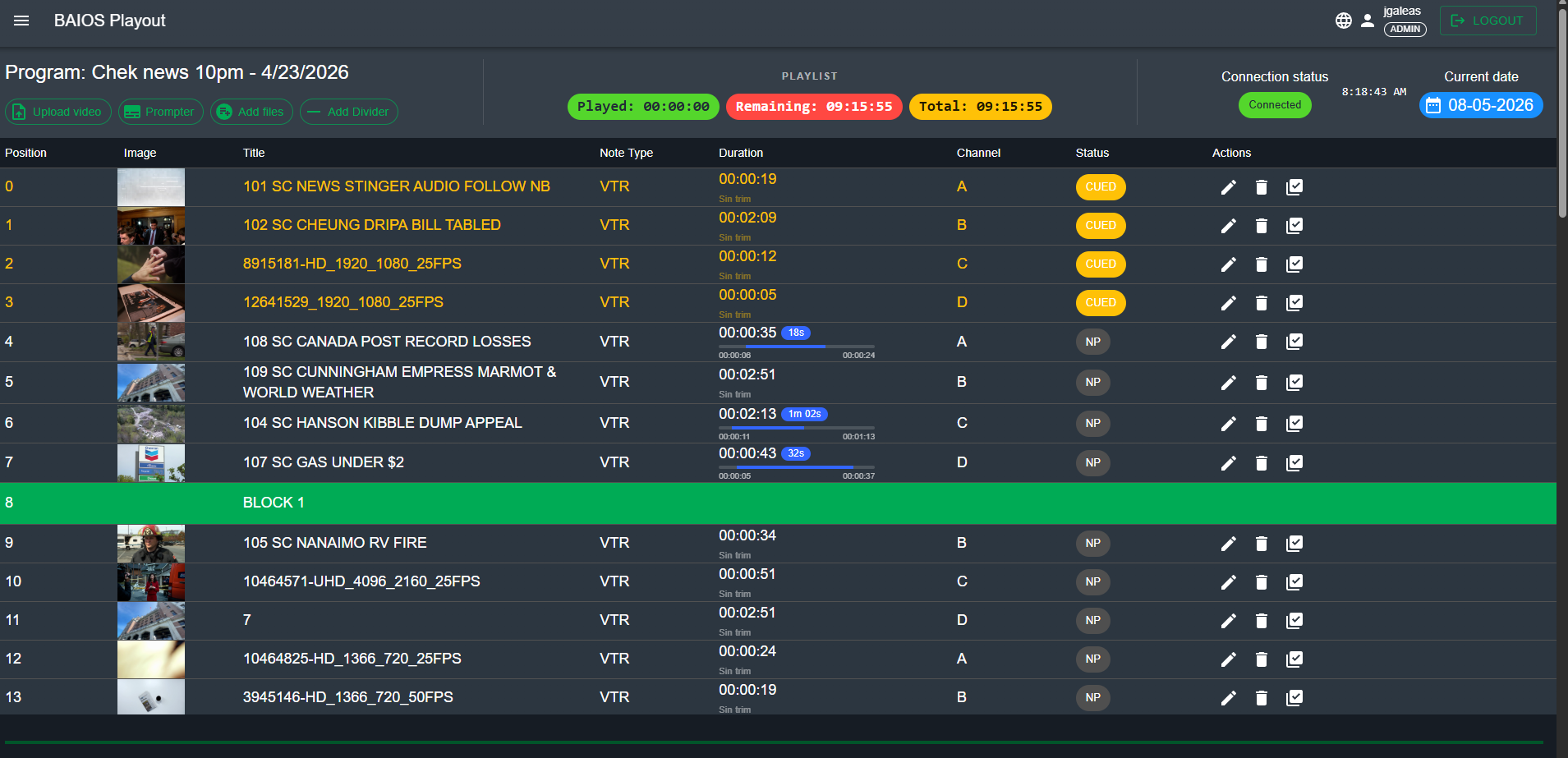
Playlist editor showing program schedule with status indicators

Playlist Editor

Program scheduling with played/remaining/total duration tracking.

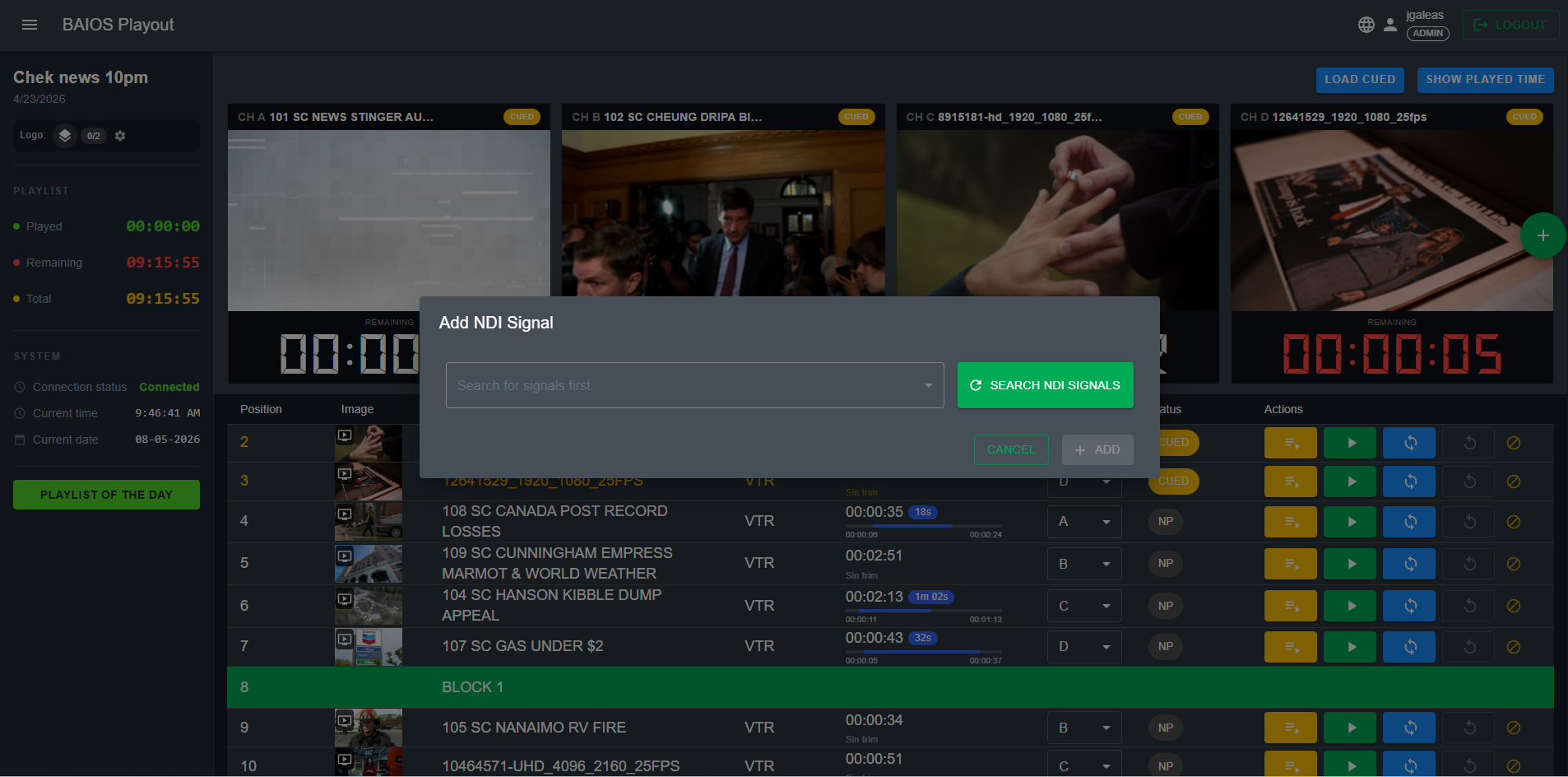
NDI signal search and add interface

NDI Signal Discovery

Auto-discover and add NDI sources on your network.

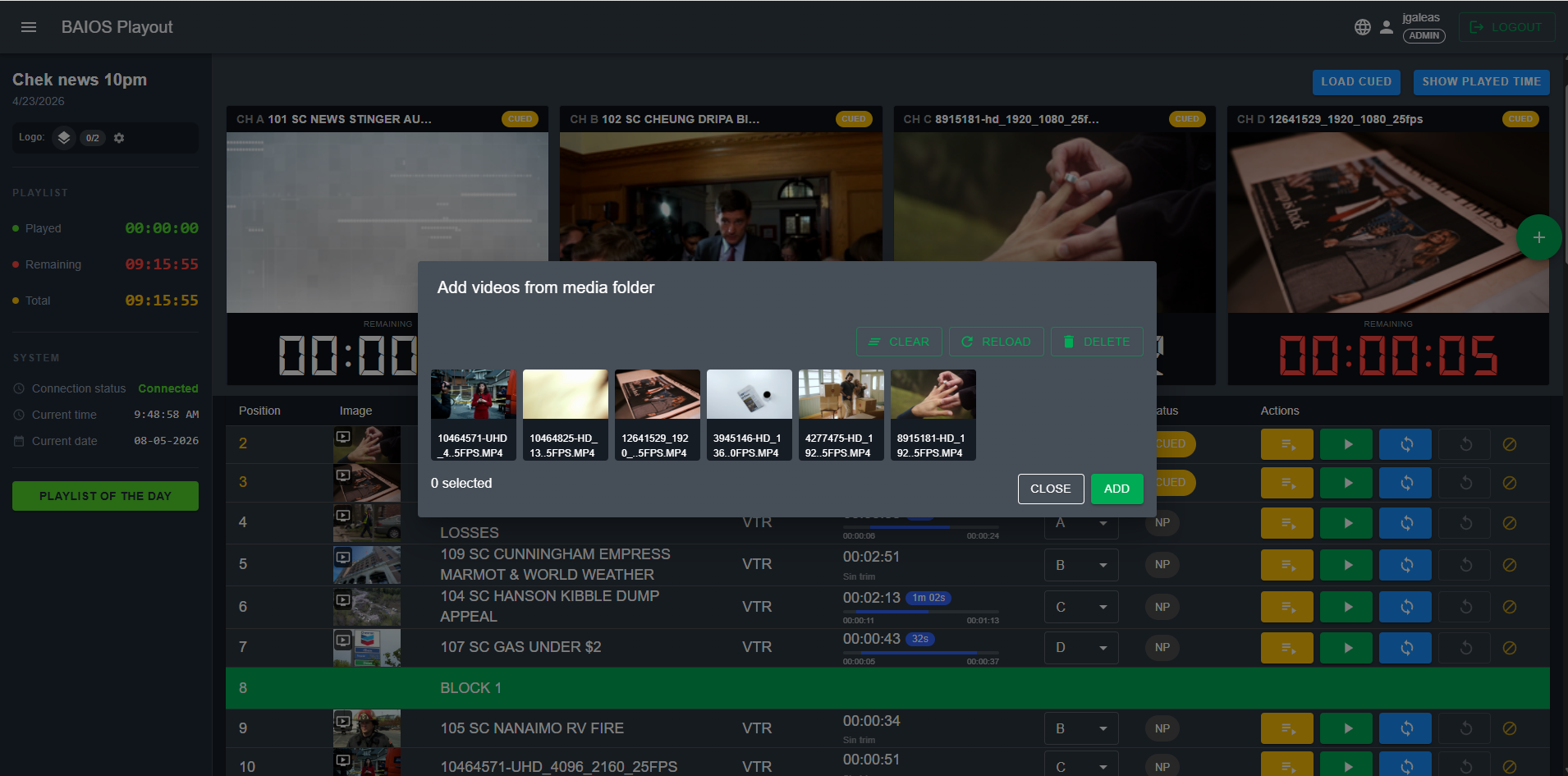
Media browser with thumbnail previews

Media Library

Browse, preview, and batch-import videos with thumbnails.

User management panel showing roles and permissions

User Management

Admin and Editor roles with program-level assignments.

Technical Details

Specification Details
Output Channels Multi independent channels (A / B / C / D)
Video Formats HD 1920×1080, UHD 3840×2160, SD 720×576/480
Frame Rates 23.976, 24, 25, 29.97, 30, 50, 59.94, 60 fps
Ingest Protocols SRT (Caller/Listener), RTMP (Push/Pull), NDI (v5)
Video Codecs H.264, H.265/HEVC, ProRes, DNxHD and more
Audio PCM, AAC, 2.0 / 5.1 surround support
Graphics PNG, JPG, GIF, WEBP, WEBM (alpha), CG 2.3+
Container Formats MP4, MOV, MXF, MKV, TS
User Roles Administrator, Editor (program-scoped permissions)
Interface Web-based, dark theme, responsive design
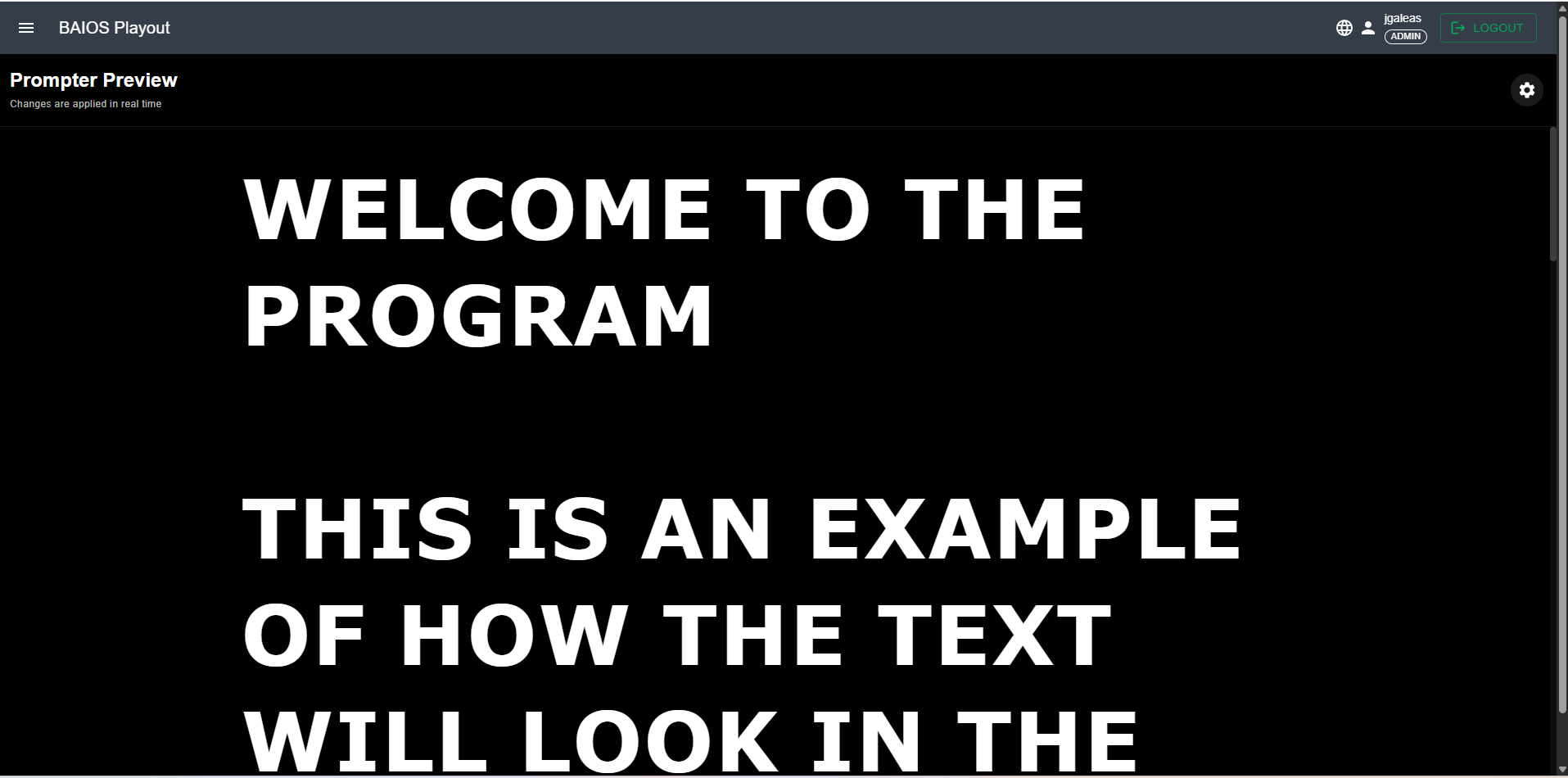
BAIOS Teleprompter with large text preview

BAIOS Teleprompter

Professional teleprompter with real-time preview, segment-based scripts, and full typography control. Perfect for news, talk shows, and live productions where talent needs to stay on script.

  • Real-time preview with instant changes
  • Segment-based script organization
  • Full typography control (size, weight, spacing)
  • Dark-room optimized high-contrast display
  • Works seamlessly with BAIOS Playout
See Teleprompter Demo

Complete On-Air Talent Support

👁️

Real-Time Preview

Changes applied instantly. See exactly what the talent sees. No guesswork, no surprises when the camera rolls.

📝

Segment-Based Scripts

Organize long programs into manageable segments. Easy navigation between blocks for news segments, interviews, and show sections.

🔤

Full Typography Control

Font size up to 100px+, weight from Thin to Extra Bold, line height adjustment, and left/center/right alignment.

🎨

Responsive Layout

Adjustable maximum width and side padding for any prompter display size. From small studio monitors to large floor-to-ceiling setups.

Which Product Fits Your Workflow?

Our broadcast specialists will help you determine the right configuration for your operation — whether you need playout, teleprompter, or both.

Request Consultation Explore Services